01
A photoshoot for every variant
Every new wood, metal or size means another shoot. With many options, you can’t show them all.
Shopify app · Ochi 3D
With Ochi 3D, shoppers pick colours, sizes, parts and engraving, see the product in 3D and watch the price update. One 3D model shows every combination, with no photoshoot for each variant.
Free plan · any Shopify plan · no code
Colour and texture, sizes, parts, engraving, copies and more.
The 3D viewer only loads when the shopper reaches it.
Pricing is applied at checkout. No Shopify Plus needed.
1 configurator and unlimited configured orders.
The problem
When a product has dozens of combinations, photos stop being enough and shoppers are left guessing. They either leave or email you to ask.
01
Every new wood, metal or size means another shoot. With many options, you can’t show them all.
02
Made-to-order requests come in by email or form, priced by hand, with a long thread of messages.
03
Many configurators load large scripts up front and slow the product page down.
How it works
A GLB file of the product, Draco-compressed if you like. Every named part can be picked, hidden or recoloured.
Build the steps by hand or with the AI assistant: colours, sizes, extras, engraving. Each option can add to the price.
Place the “3D configurator” block on the product page, adjust the look and publish. Shoppers configure and buy.
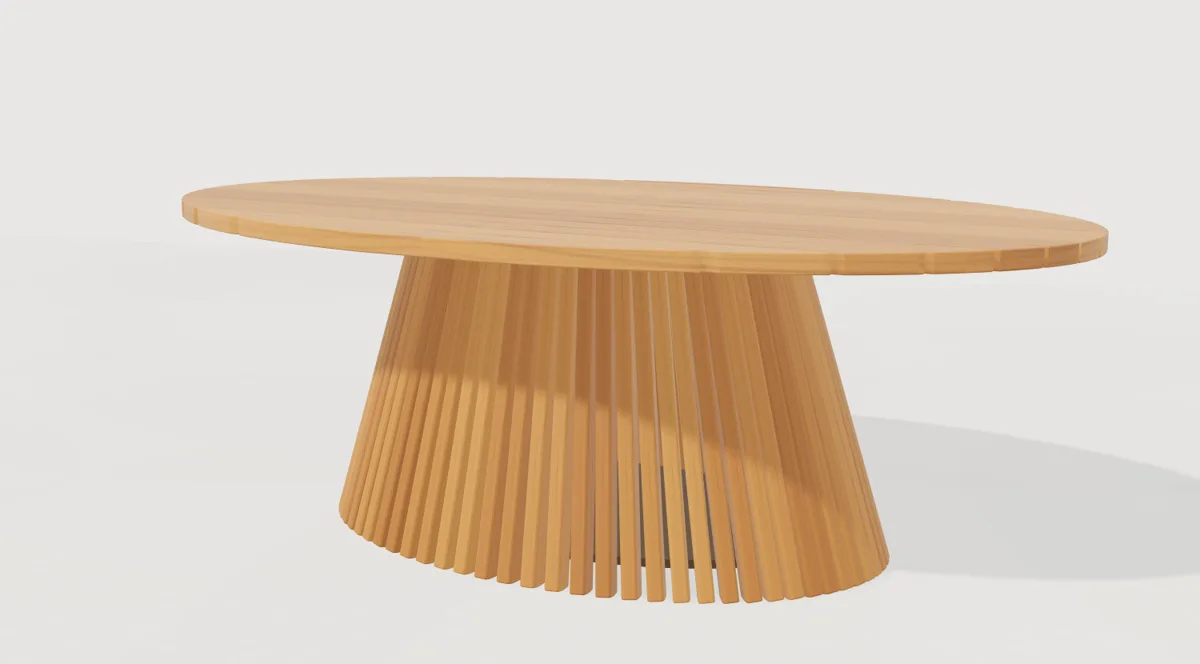
Features
Each feature shows the plan it’s available from. We only list what the app does today.
Swap materials with colour, roughness, normal and occlusion maps. Woods, fabrics and metals that look real.
Turn parts of the model on or off: sofa arms, a drawer, a glass top.
Group configurator steps into sections for products with lots of choices.
Named sizes with their own price, like a 220, 240 or 260 cm table.
Optional add-ons that add to the final price.
Move a part in six directions, to positions you set.
Text or an image engraved on the product. Four type styles (serif, sans, script and mono), up to 200 characters, images up to 8 MB.
Sell the variants you already have in Shopify, each with its own price and stock.
Add other products from your store to the configuration.
Repeat a part around a rectangular, round or oval table, in a row or in a grid. Ideal for chairs.
Ready-made combinations shoppers apply in one click.
Sell sets of several products as one configuration.
On every plan
AI assistant
Write what shoppers can choose, in plain words. The AI reads your description and the part names in your 3D model and drafts the configurator steps. Nothing is added until you review it. The AI doesn’t create the 3D model: it works on the model you uploaded.
Sets and copies
For furniture, shoppers build the whole set: they pick the table, the wood and the chairs, and see them arranged around the table. The total updates with every choice.
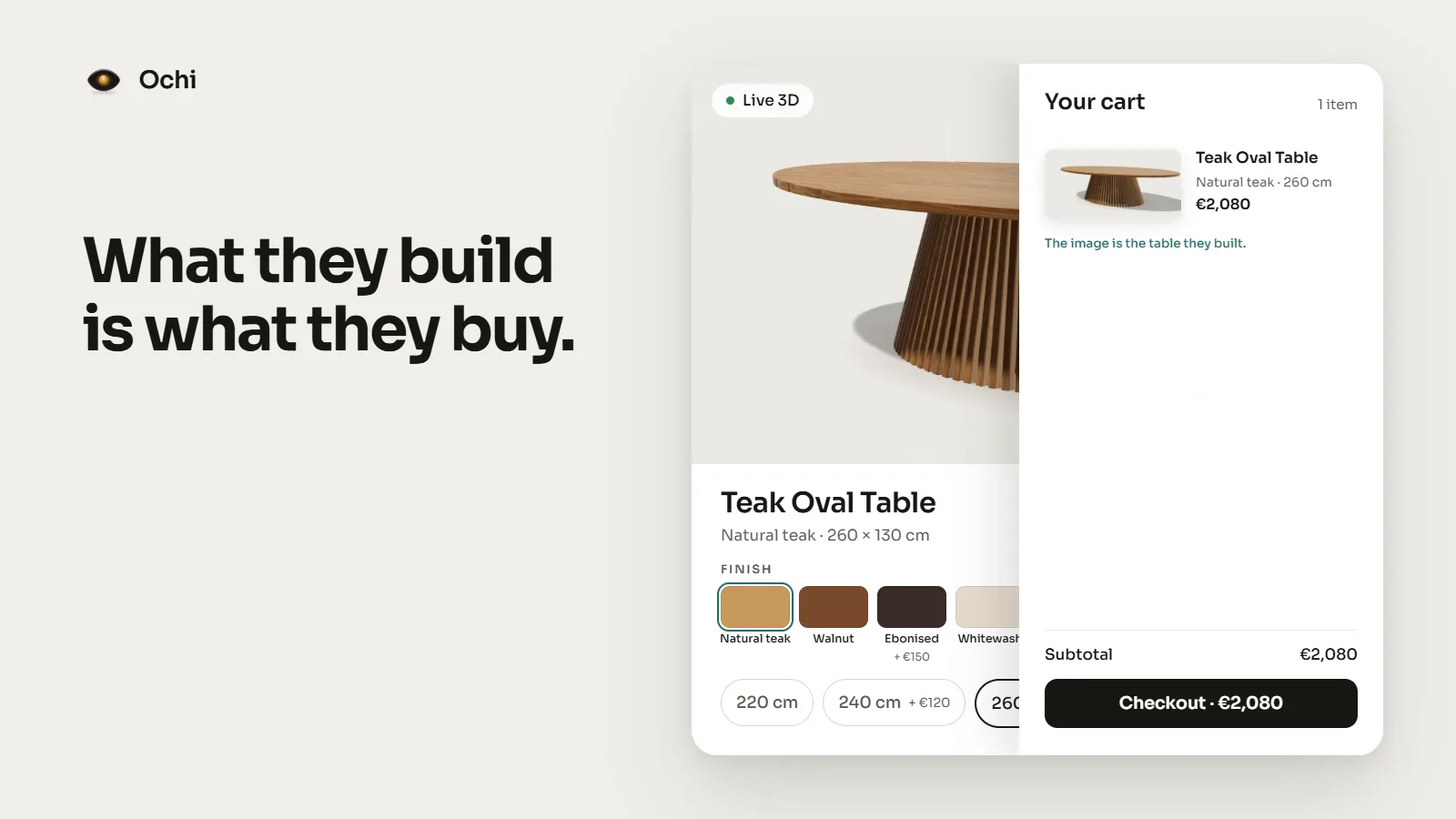
Cart and checkout
Every choice goes through to the cart and the order, so you know exactly what to make. The extra price is applied at checkout by a Shopify Function, using the prices saved in your store, not the shopper’s browser.
Speed
A configurator shouldn’t slow your store down. Ochi 3D loads the minimum up front and saves the 3D for when it’s needed.
~5 KB
The initial script is about 5 KB gzipped.
0
The configuration is stored in your Shopify store. The page doesn’t depend on our servers.
3D
The viewer loads as the configurator comes into view.
Who it’s for
Tables, sofas, chairs and shelving in a choice of woods, fabrics and sizes.
Rings, bracelets and necklaces in several metals and finishes, with engraving.
Items with a name, a date or a logo, put together by the shopper.
Where it started
Ochi 3D started as a project for a furniture store with a slow, heavy configurator on its product page. I replaced it with a light configurator that sent the right price to checkout.
It worked so well that I turned it into an app for any Shopify store. I bring 10 years of Shopify stores together with a gold medal in 3D animation and modelling, so I know both sides: the model and the sale.
— Rita Galante
Plans
Every plan includes unlimited configured orders. Billing goes through Shopify. Pay yearly and save 10%.
$0
Forever
1 configurator
$29/mo
or $310/yr
3 configurators
$79/mo
or $850/yr
10 configurators
$199/mo
or $2,150/yr
50 configurators
Done for you by Galante Labs
Ochi 3D installs without code. If you’d rather not spend the time, Galante Labs sets up the configurator for you, from the 3D model to checkout.
Launch offer
Send us the models and we configure the options, prices and the theme block. No setup fee.
You need an Ochi 3D plan with enough configurators for the 3 products (Starter includes 3).
Claim the free setupFull service
3D modelling from photos, measurements or technical drawings, and the configurator set up and tested in your store.
Custom quote
Show my product in 3DFAQ
Updated October 2026
It’s a tool on the product page where shoppers pick colours, sizes, parts or engraving, see the product in 3D and the price updates. Ochi 3D is my app on the Shopify App Store, with a free plan to start.
Yes. Option pricing is applied at checkout by a Shopify Function, which works on any Shopify plan. You don’t need Shopify Plus.
No. Ochi 3D uses a 3D model you already have. If you don’t have one, you can ask the team for a model inside the app, use tools like Tripo or Meshy, or ask Galante Labs to model it.
GLB, with or without Draco compression. We recommend files up to 5 MB, with a 15 MB maximum, and clearly named parts.
It drafts the steps from your description and the part names in your model. You review everything before it’s added. It’s on paid plans and it doesn’t create 3D models.
The initial script is about 5 KB gzipped, the configuration is stored in your own store and the 3D viewer only loads when the shopper reaches the configurator.
No. The price is calculated at checkout from the prices saved in your store, not from what the browser sends.
The Free plan is free forever, with 1 configurator. Paid plans come with a 14-day trial.
There’s no augmented reality (AR) yet, shoppers can’t save or share a design, the dashboard has no analytics and the app is English-only for now. The configuration image shows in the cart, but not at checkout.